
Assess how your
developers
collaborate
with
AI Coding Assistant
'%3e%3cpath%20d='M92.5345%2055.8187L703.052%20222.778L666.336%20357.036L55.8187%20190.077L92.5345%2055.8187Z'%20fill='url(%23paint0_linear_1_2)'/%3e%3c/g%3e%3cdefs%3e%3cfilter%20id='filter0_f_1_2'%20x='-7.62939e-06'%20y='-7.62939e-06'%20width='758.871'%20height='412.855'%20filterUnits='userSpaceOnUse'%20color-interpolation-filters='sRGB'%3e%3cfeFlood%20flood-opacity='0'%20result='BackgroundImageFix'/%3e%3cfeBlend%20mode='normal'%20in='SourceGraphic'%20in2='BackgroundImageFix'%20result='shape'/%3e%3cfeGaussianBlur%20stdDeviation='27.9093'%20result='effect1_foregroundBlur_1_2'/%3e%3c/filter%3e%3clinearGradient%20id='paint0_linear_1_2'%20x1='90.3452'%20y1='63.8246'%20x2='468.148'%20y2='-103.474'%20gradientUnits='userSpaceOnUse'%3e%3cstop%20stop-color='white'%20stop-opacity='0'/%3e%3cstop%20offset='0.403846'%20stop-color='white'%20stop-opacity='0.65'/%3e%3cstop%20offset='1'%20stop-color='white'%20stop-opacity='0'/%3e%3c/linearGradient%3e%3c/defs%3e%3c/svg%3e)
Evaluating the entire coding workflow on your candidate favourite IDEs
While tracing every footprint to the minute details back as easy as viewing a YouTube video


Trusted by CTOs and Tech leads at companies worldwide


Forthelastyears,AIcodingassistantshavechangedhowsoftwareisbuiltforthebetter.Butmostteamsstillrelyontraditionaltools,focusingontheoutputratherthanunderstandinghowdevelopersreallywork.
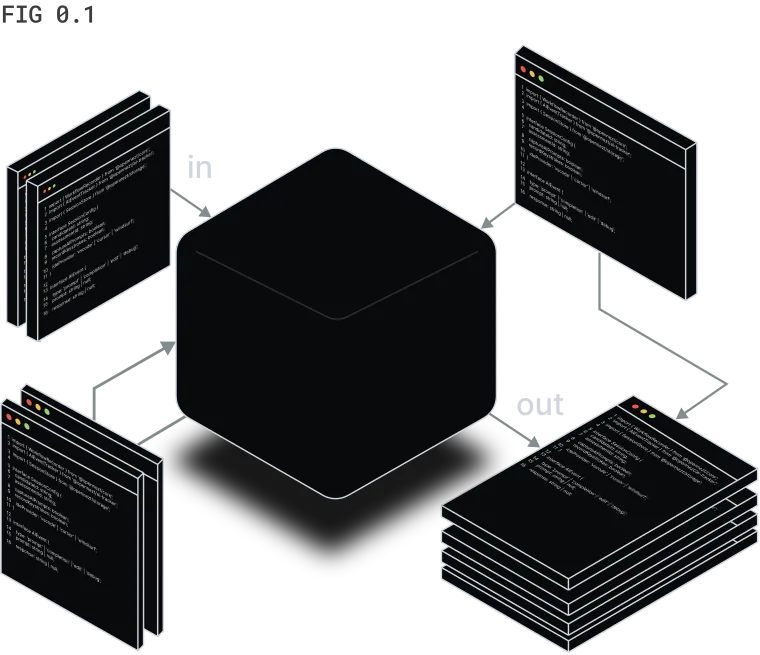
Hardly assess use of AI coding tools
77% of developers use AI daily. But what happens inside that workflow stays completely invisible to hiring teams.
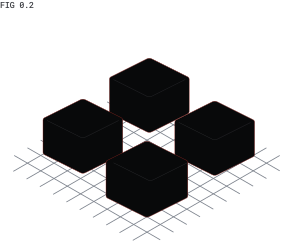
Can't see beyond the final output
When every candidate's final code looks the same, you're not evaluating skill — you're guessing.
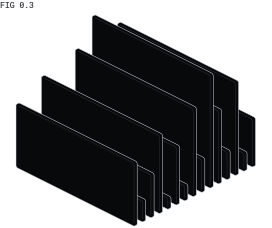
Slow and inconsistent manual review
Every reviewer sees the same code differently. No audit trail. No consistency. No defense when the hire goes wrong.
Meet '/%3e%3cpath%20d='M30.0202%2011.5215V20.7317C26.356%2020.7317%2023.0387%2019.1064%2020.6415%2016.4839C19.6373%2015.3889%2018.0979%2013.8396%2017.4565%2012.439L24.2111%200H24.2321V6.09214C24.2321%207.60797%2024.7946%208.98548%2025.7041%209.97682C26.6136%2010.9682%2027.87%2011.5849%2029.2579%2011.5849C29.5155%2011.5849%2029.7731%2011.5618%2030.0255%2011.5215H30.0202Z'%20fill='url(%23paint1_linear_488_821)'/%3e%3cpath%20d='M24.2004%200L18.0706%2012.5429L14.1224%2020.6301H5.86426V20.5562L12.026%207.94514L15.905%200H24.2004Z'%20fill='white'/%3e%3cpath%20d='M36.3102%2020.7317C32.5299%2026.259%2025.994%2030%2017.6575%2030C9.7657%2030%203.92281%2025.7818%200%2020.7317C4.01913%2024.0559%208.52935%2026.9827%2014.7177%2026.9827C21.4272%2026.9827%2026.7163%2024.5596%2030.7777%2020.7317H36.3102Z'%20fill='url(%23paint2_linear_488_821)'/%3e%3cdefs%3e%3clinearGradient%20id='paint0_linear_488_821'%20x1='-3.54017'%20y1='3.54839'%20x2='14.2715'%20y2='16.2968'%20gradientUnits='userSpaceOnUse'%3e%3cstop%20stop-color='white'/%3e%3cstop%20offset='1'%20stop-color='%23CACACA'%20stop-opacity='0'/%3e%3c/linearGradient%3e%3clinearGradient%20id='paint1_linear_488_821'%20x1='32.3231'%20y1='14.6774'%20x2='16.4505'%20y2='9.03429'%20gradientUnits='userSpaceOnUse'%3e%3cstop%20stop-color='white'/%3e%3cstop%20offset='1'%20stop-color='%23CACACA'%20stop-opacity='0'/%3e%3c/linearGradient%3e%3clinearGradient%20id='paint2_linear_488_821'%20x1='9.54307'%20y1='27.4193'%20x2='38.7665'%20y2='17.6288'%20gradientUnits='userSpaceOnUse'%3e%3cstop%20stop-color='white'/%3e%3cstop%20offset='1'%20stop-color='white'%20stop-opacity='0'/%3e%3c/linearGradient%3e%3c/defs%3e%3c/svg%3e) OpenNezt™,
OpenNezt™,
the first AI-driven
coding supervisor
that evaluates the
entire coding workflow, not just what was submitted.
'/%3e%3cpath%20fill-rule='evenodd'%20clip-rule='evenodd'%20d='M1.25024%203.59375C1.25024%202.98969%201.73993%202.5%202.344%202.5H8.75025V12.5H2.344C1.73993%2012.5%201.25024%2012.0103%201.25024%2011.4062V3.59375ZM5.0192%205.60604C4.83614%205.42299%204.53935%205.42299%204.35629%205.60604C4.17323%205.7891%204.17323%206.0859%204.35629%206.26896L5.58734%207.49999L4.35629%208.73104C4.17323%208.91412%204.17323%209.21089%204.35629%209.39397C4.53935%209.57704%204.83614%209.57704%205.0192%209.39397L6.5817%207.8315C6.76476%207.64842%206.76476%207.35161%206.5817%207.16855L5.0192%205.60604Z'%20fill='url(%23paint1_linear_495_890)'/%3e%3cdefs%3e%3clinearGradient%20id='paint0_linear_495_890'%20x1='9.68481'%20y1='7.50001'%20x2='13.7473'%20y2='7.50001'%20gradientUnits='userSpaceOnUse'%3e%3cstop%20stop-color='%233A95CC'/%3e%3cstop%20offset='1'%20stop-color='%230148A5'/%3e%3c/linearGradient%3e%3clinearGradient%20id='paint1_linear_495_890'%20x1='1.25024'%20y1='7.50001'%20x2='8.75025'%20y2='7.50001'%20gradientUnits='userSpaceOnUse'%3e%3cstop%20stop-color='%233A95CC'/%3e%3cstop%20offset='1'%20stop-color='%230148A5'/%3e%3c/linearGradient%3e%3c/defs%3e%3c/svg%3e)
All the context you need, before you decide
OpenNezt captures the full coding session and turns it into a structured report, so every hiring decision is backed by evidence, not gut feelingFull session captured. One single source of truth. So every hiring decision backed by evidence.
Assess your candidate on their favourite IDEs
Test candidate developers where they truly work, just real programming in a real environment.

'%3e%3cpath%20d='M10.1246%2045.15L0.724609%2037.7L6.24961%2027.45L14.5746%2030.225L10.1246%2045.15Z'%20fill='url(%23paint0_linear_951_3537)'/%3e%3cpath%20d='M64.0004%2017.05L62.8504%2054.125L38.2004%2064L24.7754%2055.3251L64.0004%2017.05Z'%20fill='%23087CFA'/%3e%3cpath%20d='M64%2017.05L51.8%2028.9501L36.125%209.75005L43.875%201.05005L64%2017.05Z'%20fill='url(%23paint1_linear_951_3537)'/%3e%3cpath%20d='M24.775%2055.325L5.15%2062.425L9.275%2048.05L14.575%2030.225L0%2025.35L9.275%200L30.225%202.475L51.8%2028.95L24.775%2055.325Z'%20fill='url(%23paint2_linear_951_3537)'/%3e%3cpath%20d='M12.2754%2012H52.2754V52H12.2754V12Z'%20fill='black'/%3e%3cpath%20d='M17.25%2044.45H32.25V46.95H17.25V44.45ZM24.75%2019.75V17H17.3V19.75H19.4V29.175H17.3V31.925H24.75V29.175H22.675V19.75H24.75ZM31.875%2032.1L31.925%2032.125C30.9%2032.175%2029.9%2031.925%2028.975%2031.475C28.2413%2031.0738%2027.5886%2030.5397%2027.05%2029.9L29.1%2027.6C29.475%2028.025%2029.9%2028.375%2030.4%2028.675C30.825%2028.95%2031.325%2029.1%2031.825%2029.075C32.375%2029.125%2032.9%2028.9%2033.275%2028.5C33.6817%2027.9634%2033.8774%2027.2963%2033.825%2026.625V17H37.15V26.75C37.1652%2027.5494%2037.0382%2028.3451%2036.775%2029.1C36.35%2030.35%2035.35%2031.35%2034.075%2031.75C33.375%2032%2032.625%2032.125%2031.875%2032.1Z'%20fill='white'/%3e%3c/g%3e%3cdefs%3e%3clinearGradient%20id='paint0_linear_951_3537'%20x1='513.175'%20y1='930.15'%20x2='2470.55'%20y2='831.371'%20gradientUnits='userSpaceOnUse'%3e%3cstop%20offset='0.09'%20stop-color='%23FC801D'/%3e%3cstop%20offset='0.23'%20stop-color='%23B07F61'/%3e%3cstop%20offset='0.41'%20stop-color='%23577DB3'/%3e%3cstop%20offset='0.53'%20stop-color='%231E7CE6'/%3e%3cstop%20offset='0.59'%20stop-color='%23087CFA'/%3e%3c/linearGradient%3e%3clinearGradient%20id='paint1_linear_951_3537'%20x1='2087.73'%20y1='3203.97'%20x2='1026.77'%20y2='32.3121'%20gradientUnits='userSpaceOnUse'%3e%3cstop%20stop-color='%23FE2857'/%3e%3cstop%20offset='0.08'%20stop-color='%23CB3979'/%3e%3cstop%20offset='0.16'%20stop-color='%239E4997'/%3e%3cstop%20offset='0.25'%20stop-color='%237557B2'/%3e%3cstop%20offset='0.34'%20stop-color='%235362C8'/%3e%3cstop%20offset='0.44'%20stop-color='%23386CDA'/%3e%3cstop%20offset='0.54'%20stop-color='%232373E8'/%3e%3cstop%20offset='0.66'%20stop-color='%231478F2'/%3e%3cstop%20offset='0.79'%20stop-color='%230B7BF8'/%3e%3cstop%20offset='1'%20stop-color='%23087CFA'/%3e%3c/linearGradient%3e%3clinearGradient%20id='paint2_linear_951_3537'%20x1='1481.48'%20y1='1473.23'%20x2='5150.76'%20y2='7551.28'%20gradientUnits='userSpaceOnUse'%3e%3cstop%20stop-color='%23FE2857'/%3e%3cstop%20offset='0.08'%20stop-color='%23FE295F'/%3e%3cstop%20offset='0.21'%20stop-color='%23FF2D76'/%3e%3cstop%20offset='0.3'%20stop-color='%23FF318C'/%3e%3cstop%20offset='0.38'%20stop-color='%23EA3896'/%3e%3cstop%20offset='0.55'%20stop-color='%23B248AE'/%3e%3cstop%20offset='0.79'%20stop-color='%235A63D6'/%3e%3cstop%20offset='1'%20stop-color='%23087CFA'/%3e%3c/linearGradient%3e%3cclipPath%20id='clip0_951_3537'%3e%3crect%20width='64'%20height='64'%20fill='white'/%3e%3c/clipPath%3e%3c/defs%3e%3c/svg%3e)


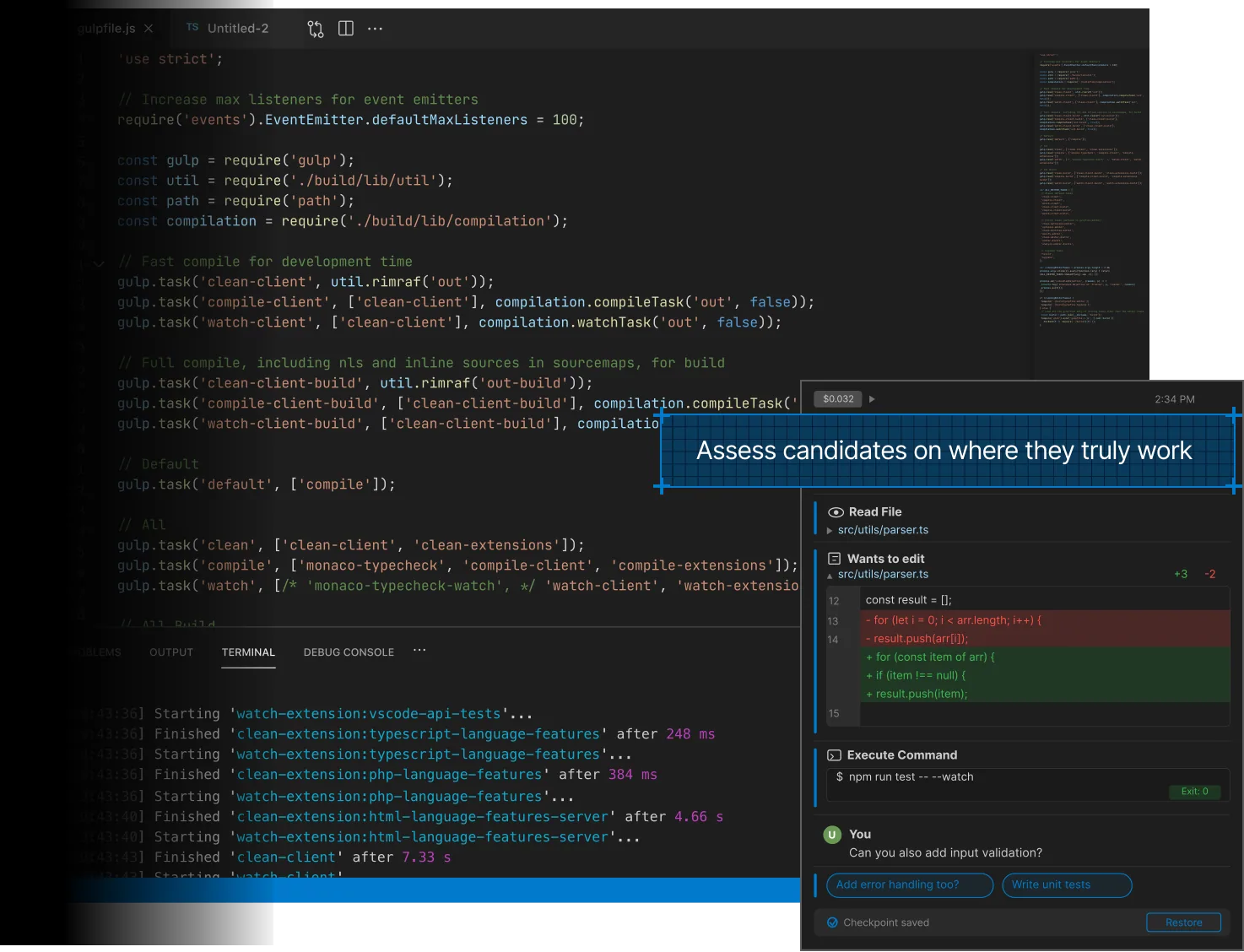
Logs every action from
AI prompts, code diffs,
AI output, error traces,
terminal runs, keystrokes,
tools called, test results,
and everything in between
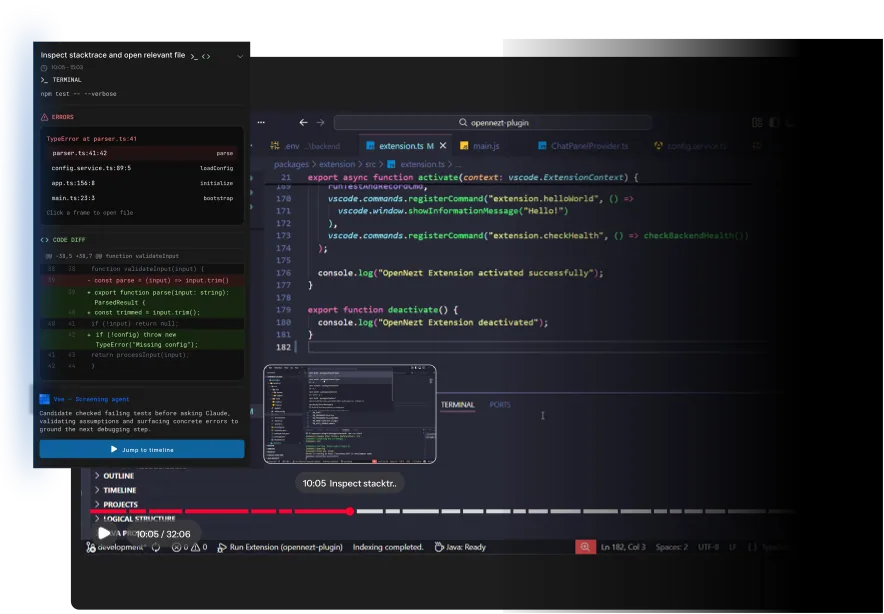
Hours of coding, summarised into minutes of reading
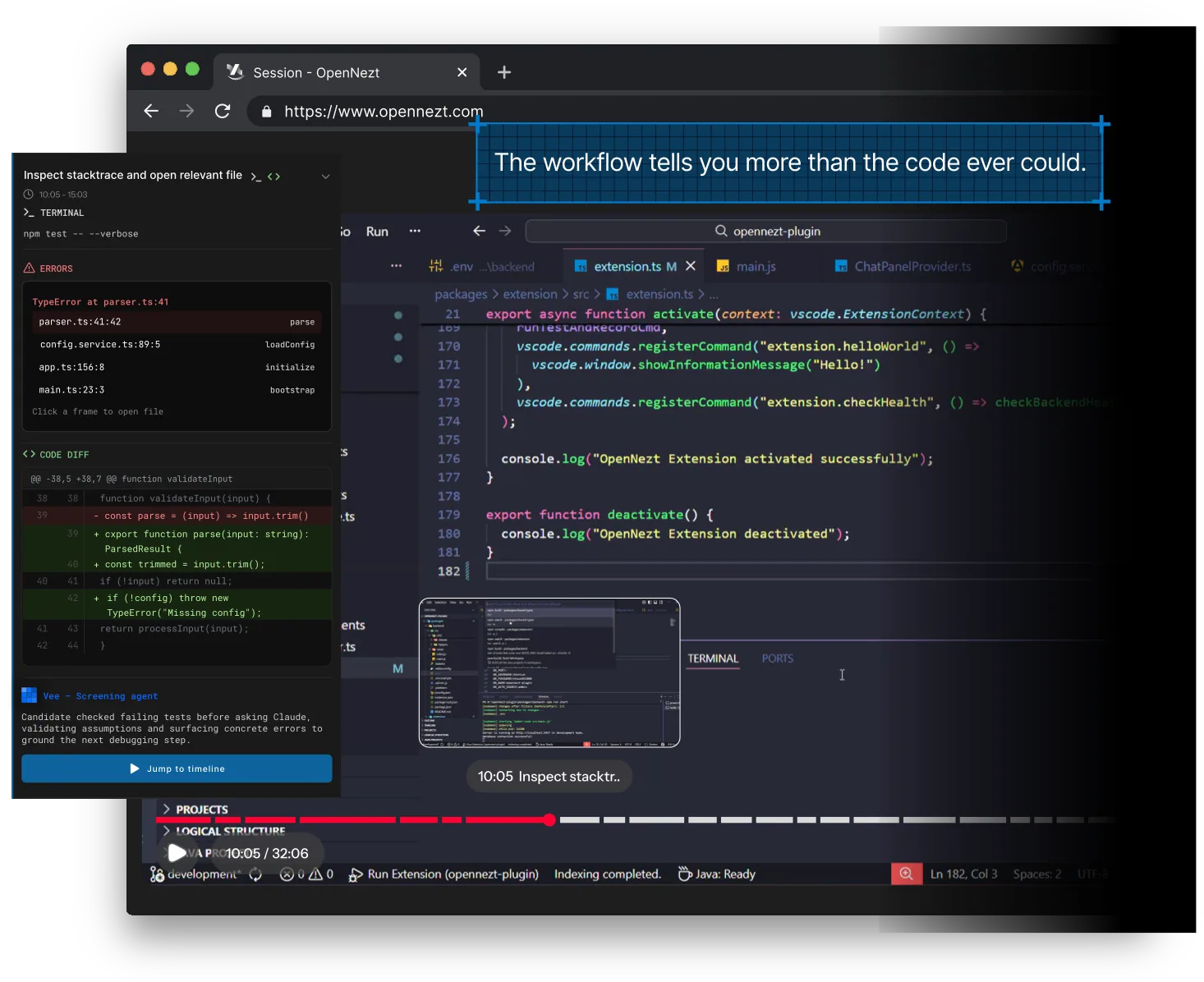
We summarise every debug step, code change, and AI interaction into an easily readable chain of actions.
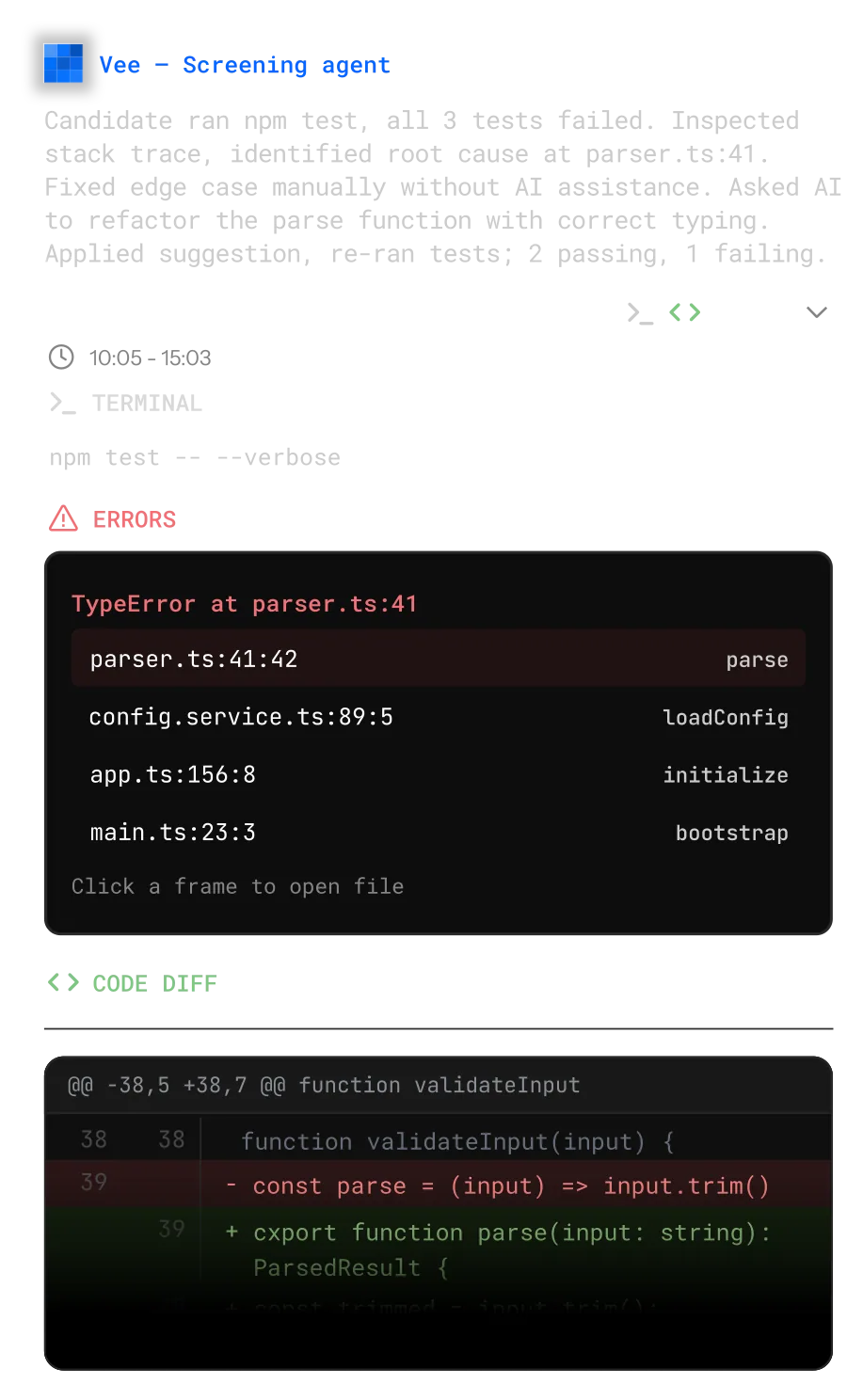
Review every action, back to the minute, as easy as watching a YouTube videoReview every action as easy as viewing a YouTube video
See every debug step, code change, and AI interaction in one continuous storyline, so you can understand how candidates really solve problems—not just the final answer.Every session is fully replayable, scrubbing the timeline, skipping to key moments, reviewing with complete context
Assessments by CTO for CTOs
Built by engineers who've screened thousands of developers, and felt the pain on both sides.

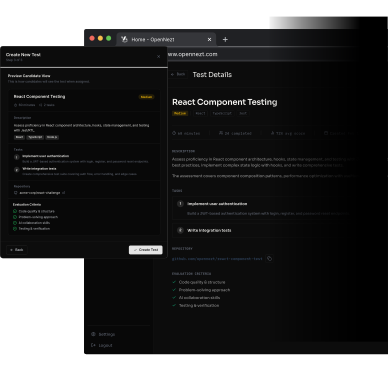
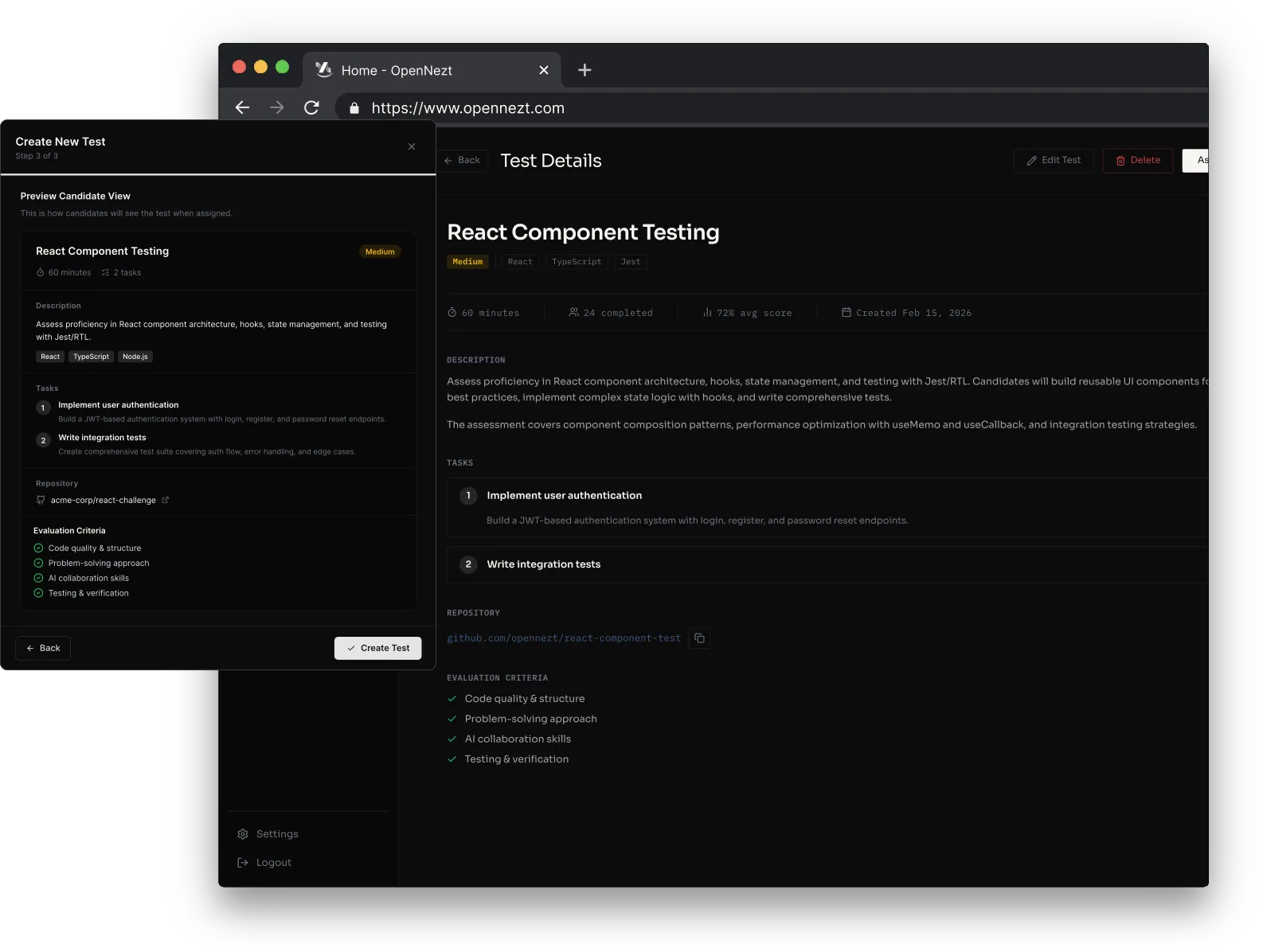
01 // Set up the assessments
Set up once, assess many. Define your task, configure evaluation criteria, and invite candidates with a single link. Everything else is automated.
02 // Complete tests on the IDEs
Our extension runs silently in the background, logging every keystroke, AI prompt, error trace, and code diff in real time. Candidates work exactly as they would on the job.
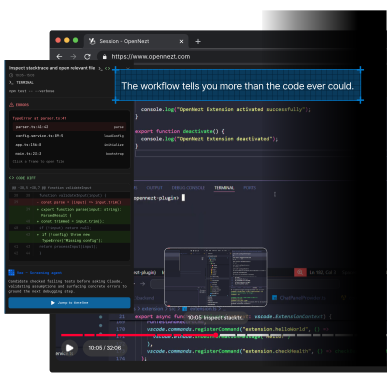
03 // View your screening report
No more reading through raw code line by line. Scrub to any moment, see exactly what happened, and make hiring decisions backed by full evidence.

'/%3e%3cdefs%3e%3clinearGradient%20id='paint0_linear_739_3096'%20x1='0.9375'%20y1='7.5'%20x2='14.0625'%20y2='7.5'%20gradientUnits='userSpaceOnUse'%3e%3cstop%20stop-color='%233A95CC'/%3e%3cstop%20offset='1'%20stop-color='%230148A5'/%3e%3c/linearGradient%3e%3c/defs%3e%3c/svg%3e)
Frequently
asked questions
Everything you need to know about OpenNezt.
Questions? We've got answers.
Traditional platforms like HackerRank and CodeSignal evaluate the final code output only. OpenNezt captures the entire coding workflow, every AI prompt, debug step, code change, and iteration, and turns it into a structured report. You see how a developer thinks and works with AI, not just what they submitted.
OpenNezt runs inside the IDEs your developers already use — Visual Studio Code, IntelliJ IDEA, Cursor, and PyCharm. Candidates install a lightweight extension and work in their own environment, so the assessment reflects how they actually build day to day.
Yes. Candidates are told before they start that the session is recorded. OpenNezt only captures activity inside the assessment project in their IDE — AI prompts, code changes, terminal runs, and error traces — and nothing outside it. Being upfront keeps the process fair for candidates and the results defensible for your team.
Yes, and we encourage it. Most developers already build with AI every day, so banning it would test an unrealistic setup. Candidates use their AI assistant as they normally would, and OpenNezt captures every prompt, iteration, and decision behind the code. That lets your tech lead see whether a candidate directs AI with intent or just leans on it.
Setup takes only a few minutes. Pick a task or connect a project repo, then share a single assessment link. The candidate installs the extension in their own IDE and starts working. There is no proctoring software or custom environment to configure on either side.
Yes. You can adjust what matters for the role across the signals we capture: code quality and structure, prompting strategy, iteration, debugging, and verification. Weight the dimensions that fit the seniority and stack you are hiring for, and your reviewer keeps the final call on every candidate.